How to book a client
Make an appointment in the diary in four short steps. miBooks adds up the length and price and shows you the free times.
Start a booking
There are two ways in:
- Press New booking at the top right of the diary, or
- Press an empty space in the diary. The form opens with that stylist, day and time already filled in.
Step by step
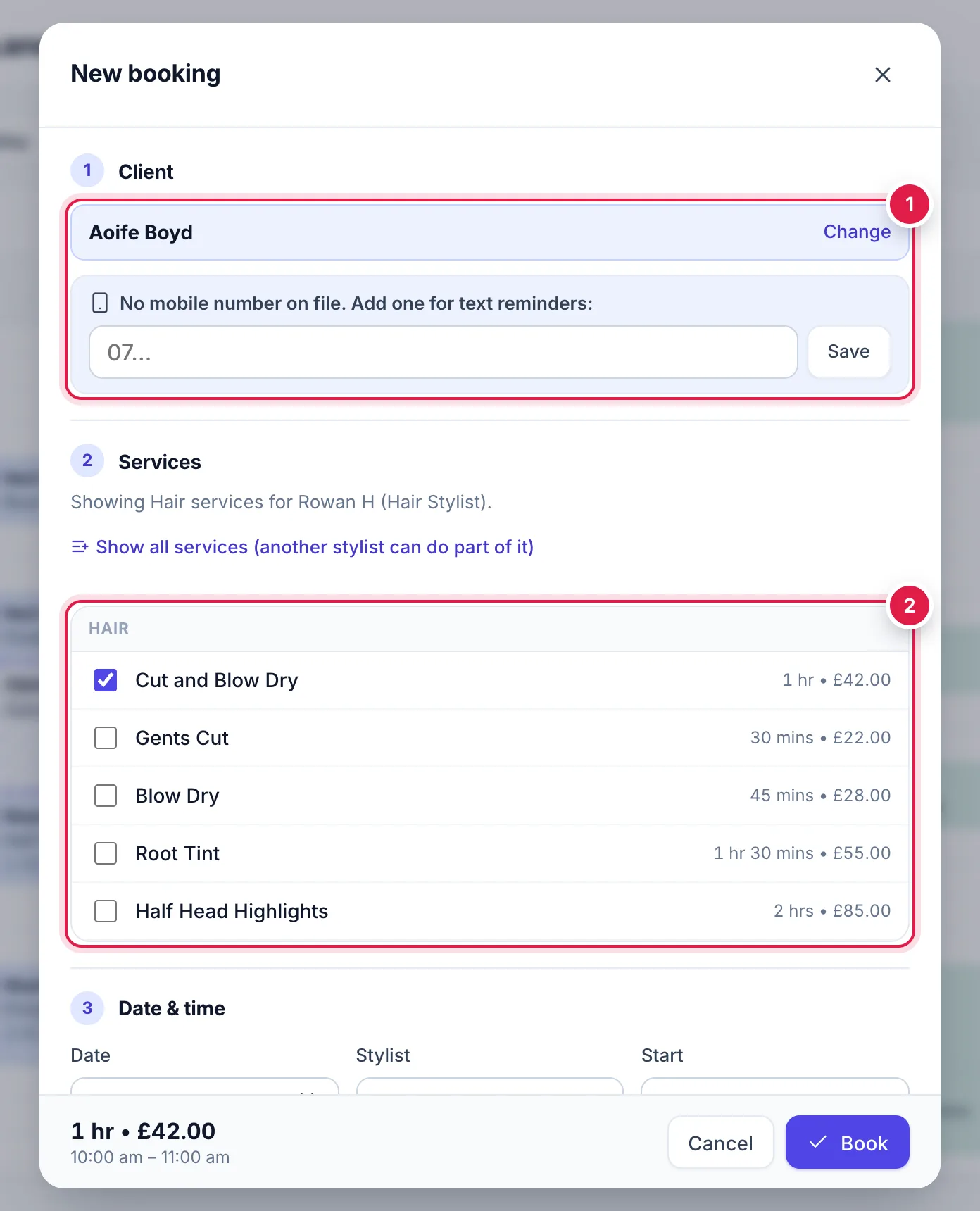
Client 1: start typing the client's name, mobile or email, then pick them from the list.
If they're not there, press New client (see booking someone new below).
Services 2: tick one or more services. Each shows its length and price.
Services the chosen stylist doesn't do are greyed out. If another stylist can do part of it, press Show all services.
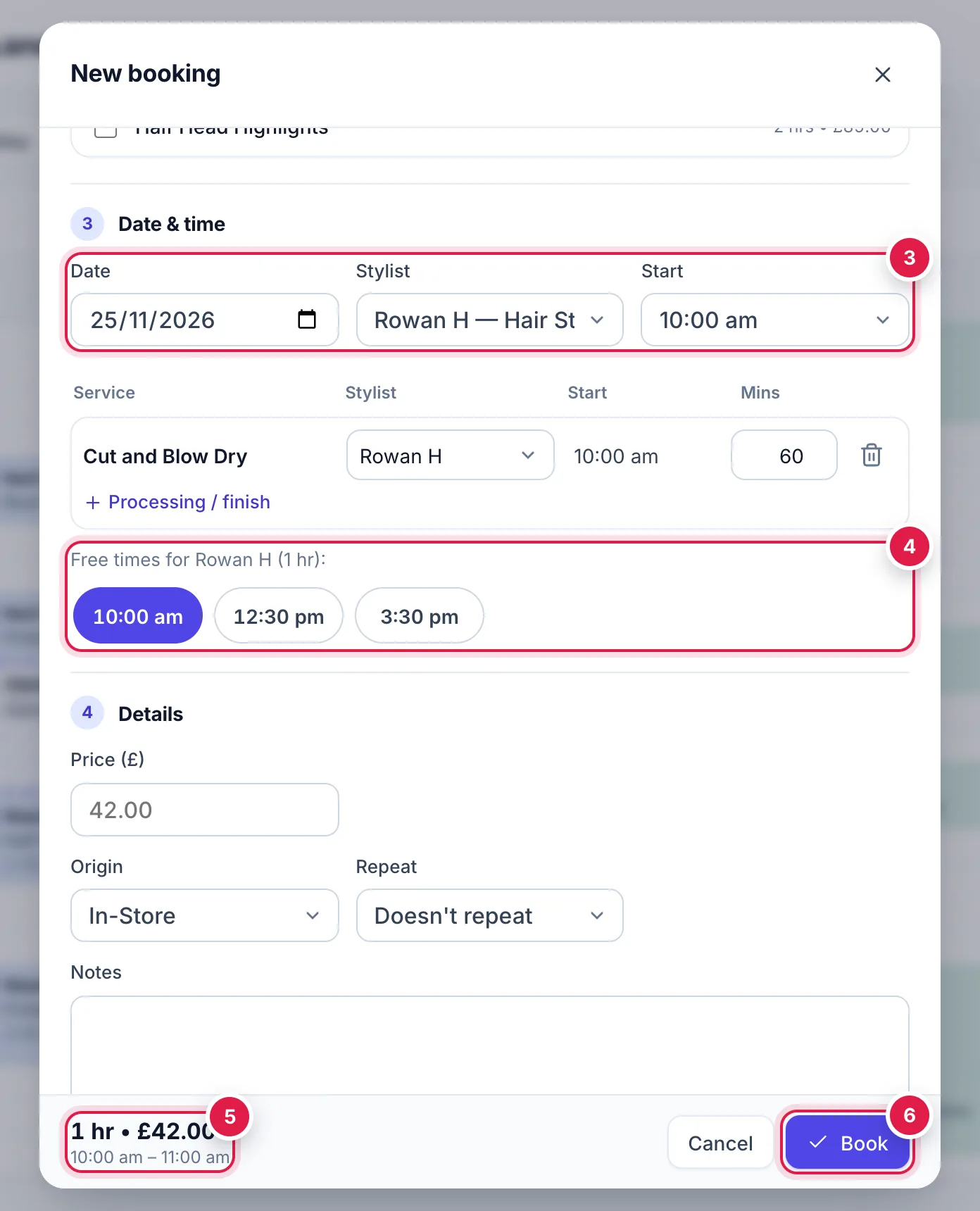
Date & time 3: check the Date, Stylist and Start.
Free times 4: miBooks lists the times this stylist is free for the whole booking. Press one to use it.
You can still choose any start time from the Start list, even if it isn't listed as free.
Check the summary 5 at the bottom: total length, price, and start and finish times.
Press Book 6. The booking appears in the diary straight away.
Lengths, processing and clean-up
- Length adds up from the services you tick. For colour services, the time while colour develops is left free in the diary, so you can fit another client into the gap.
- To change who does part of a service, or how long a stage takes, use the rows under Date & time. Press + Processing / finish to split a service into stages.
- Clean-up (mins), if your salon uses it, adds tidy-up time after the booking. It blocks the diary but isn't charged or shown to the client.
Optional details
| Field | What it does |
|---|---|
| Price (£) | Leave it empty for the menu price. Type a price to charge something different for this booking only. |
| Origin | How they booked: In-Store, Phone or Online. |
| Repeat | Book the same thing every 1 to 12 weeks, 2 to 52 times. Each one is a normal booking you can change on its own. |
| Notes | Anything the stylist should know, up to 2,000 characters. |
Booking someone new
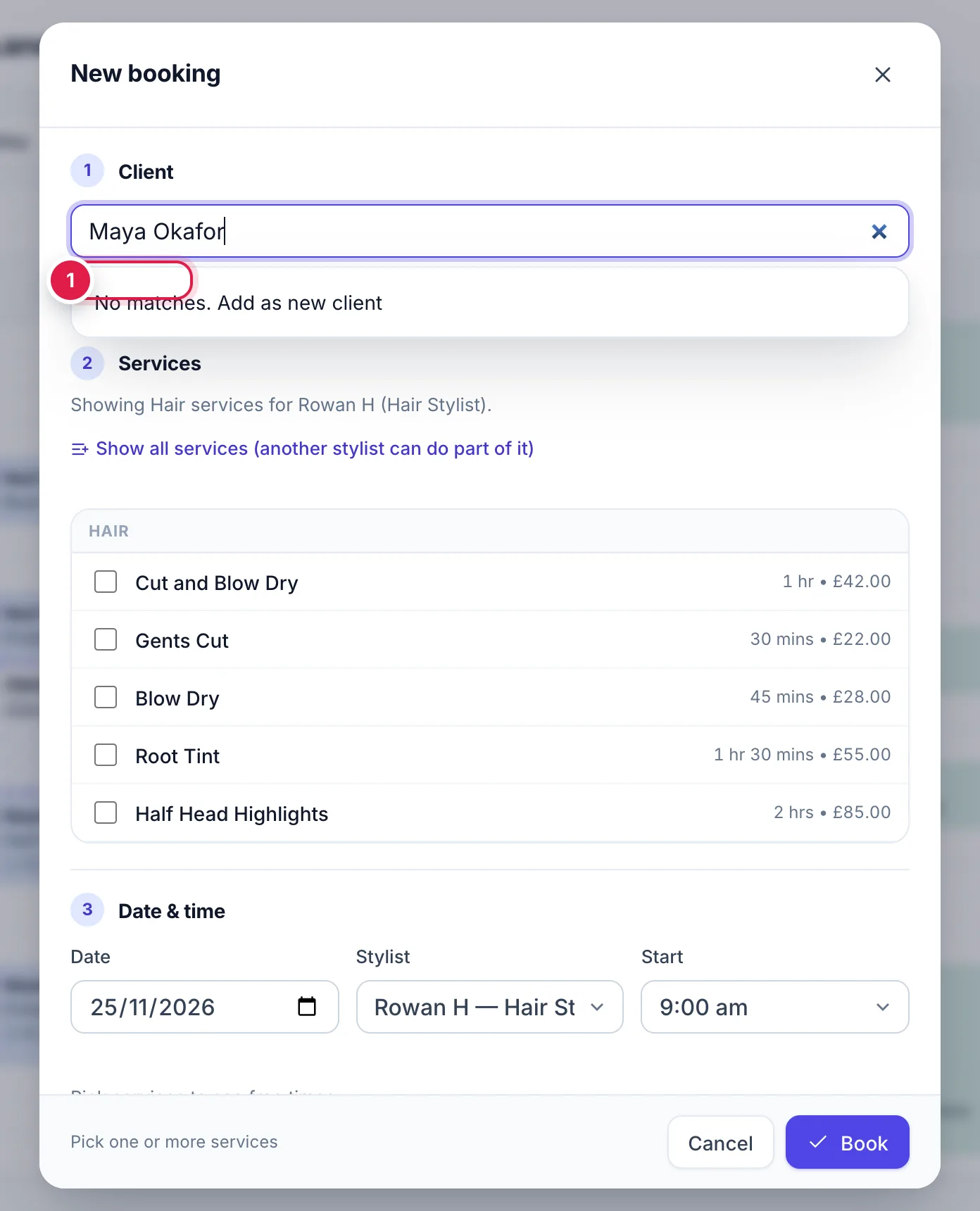
Type their name in the client search. If nobody matches, press New client 1.
Fill in First name, plus Last name, Mobile and Email if you have them 2.
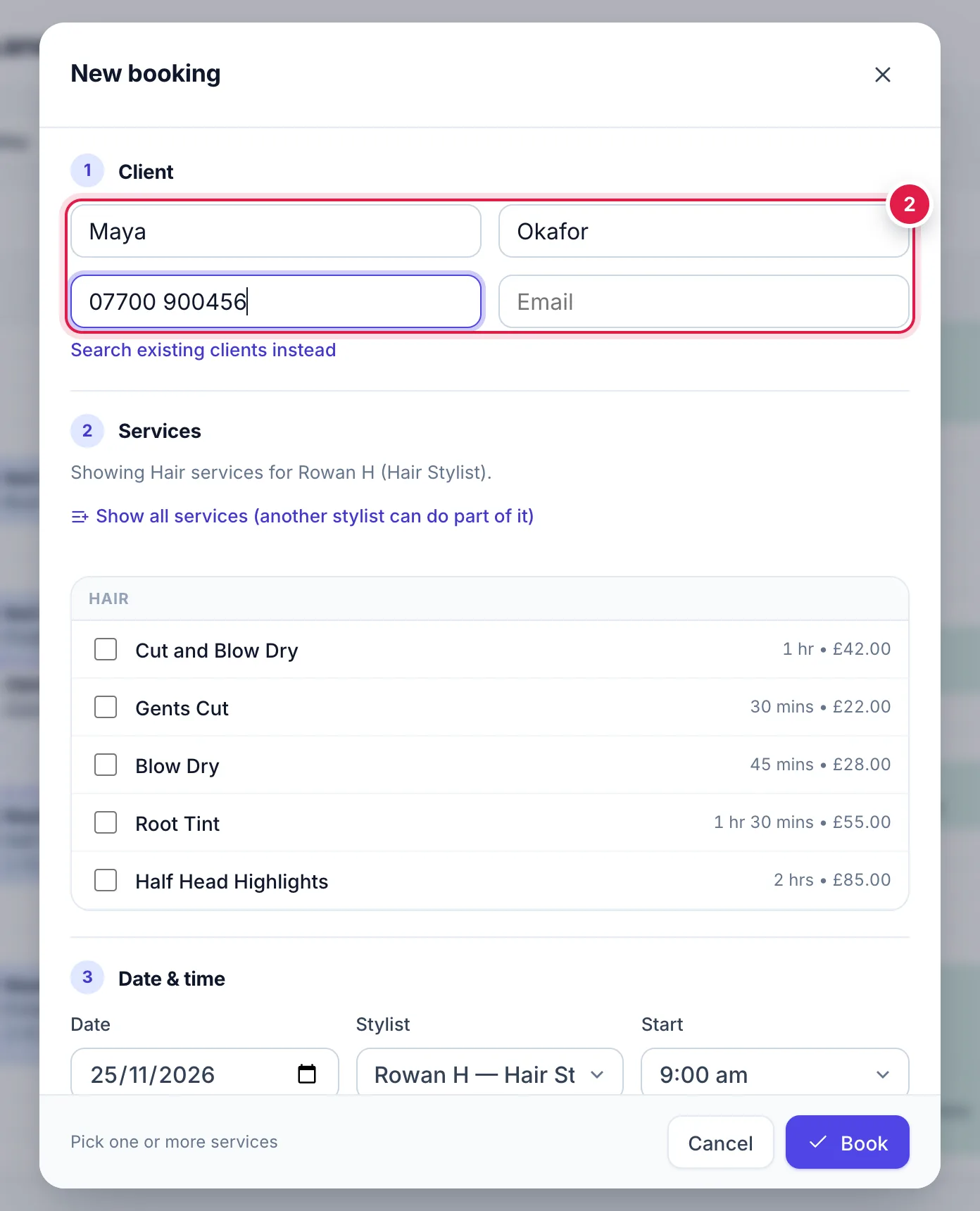
New client fields inside the booking form Carry on with services and time as normal. The client is saved when you press Book.
Warnings you might see
miBooks protects the diary, but lets you decide when you need to: