How a client books an appointment online
What your clients see when they use your booking link, from choosing a stylist to sending their request.
The booking link
Each salon has its own booking page at [your salon address]/book.php. Admins copy it from Settings → Online booking. See Turning online booking on or off. Share it however suits you: on Instagram or Facebook, in a text, on your website, or as a QR code at the desk.
Clients don't need an account or a password. The page is built for phones first, with large buttons and text that's easy to read.
The four steps
Who would you like to see? The client picks a stylist, or Any available stylist for the first free time with anyone.
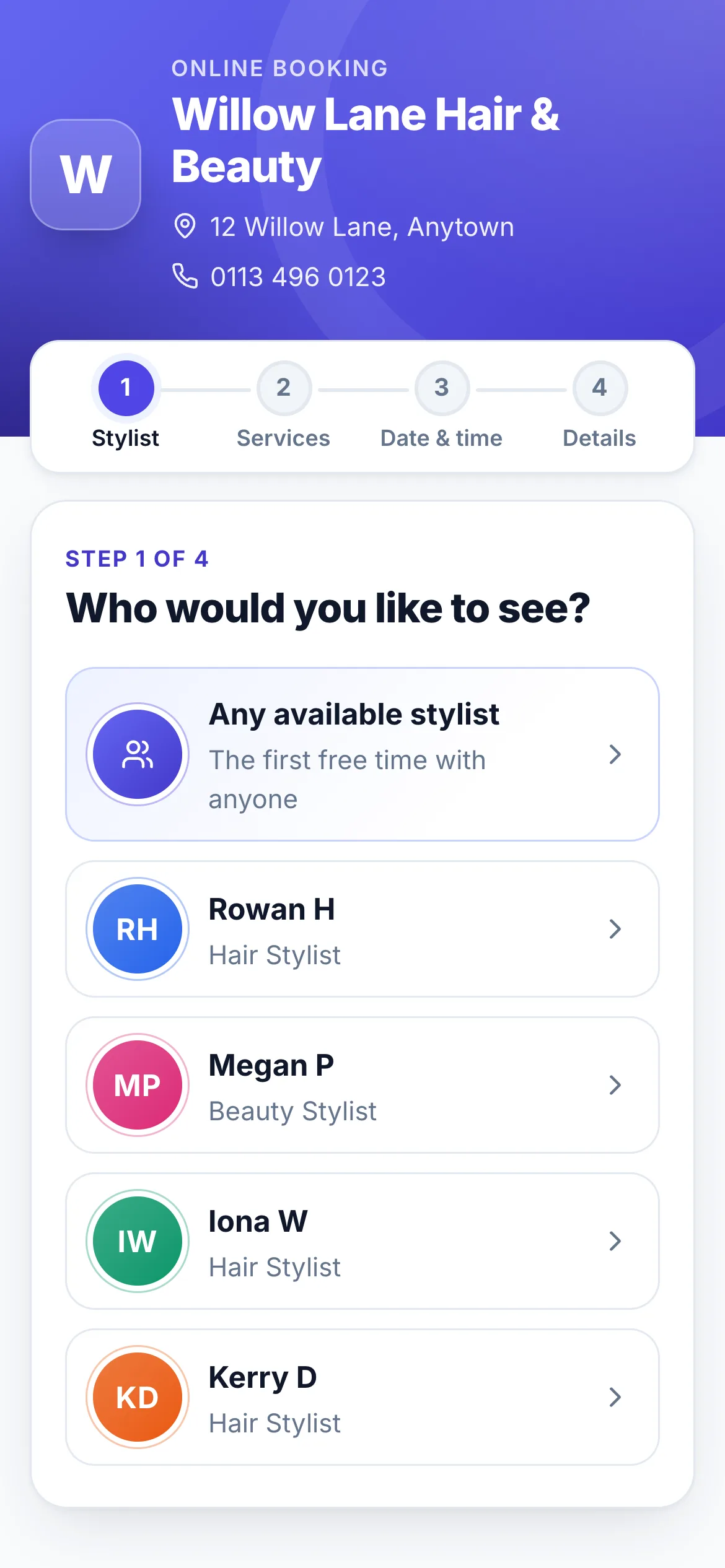
Step 1: choose a stylist What would you like done? They tick one or more services. Each shows its length and price, and the running total shows at the bottom. Then they press Continue.
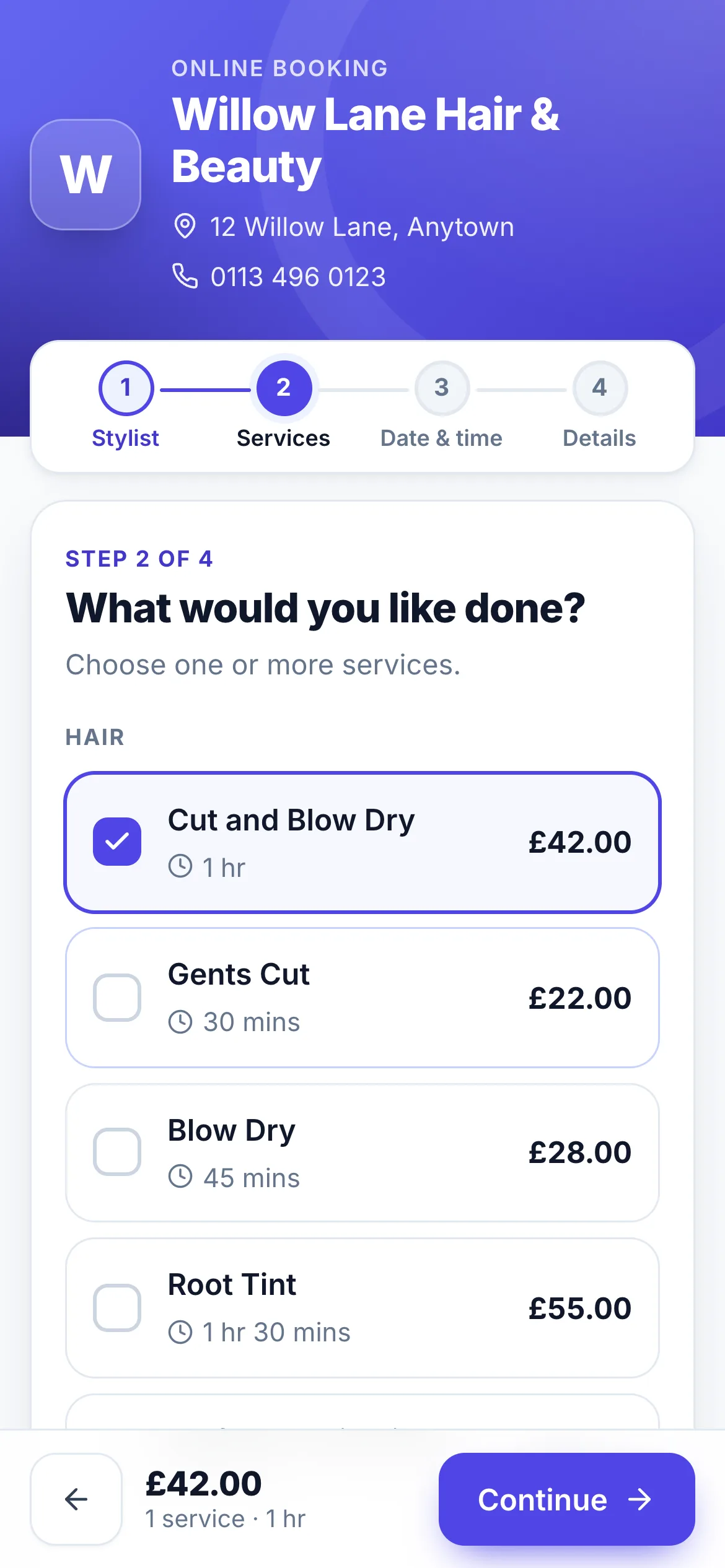
Step 2: choose services When suits you? They choose a day, then a time. Times are grouped into Morning, Afternoon and Evening. Only times when the stylist is really free for the whole appointment are shown.
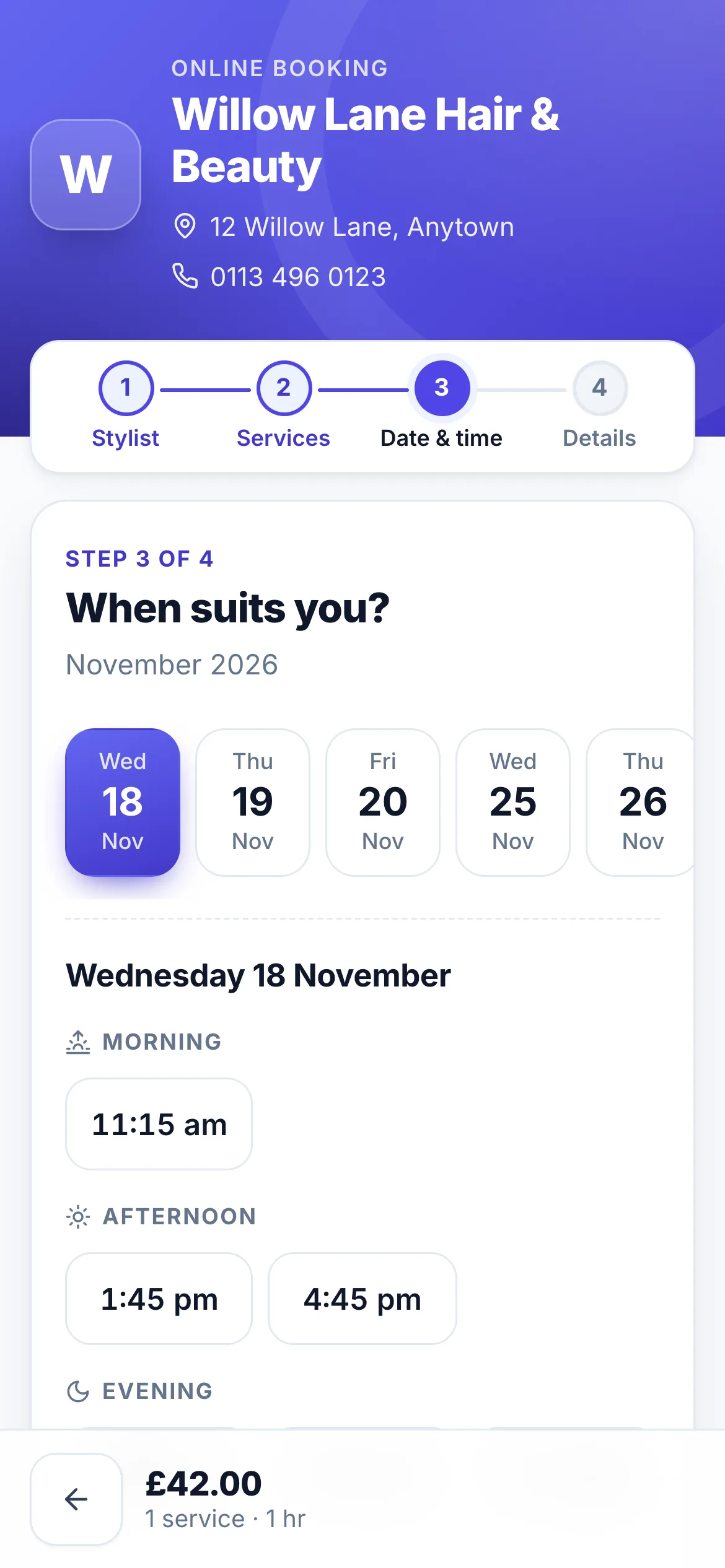
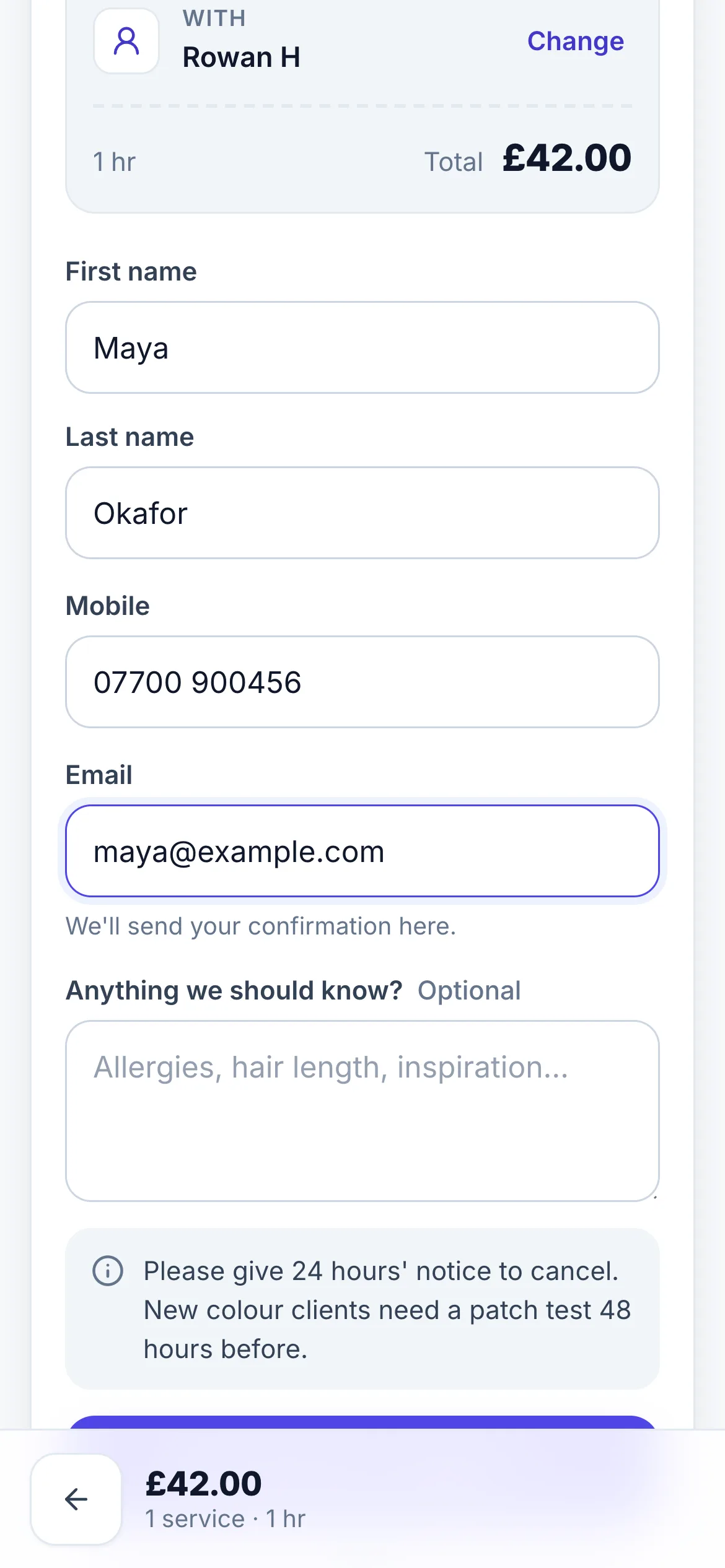
Step 3: choose a day and time Your details. A summary shows the services, time and stylist, each with a Change link. They enter their first and last name, UK mobile, email and any notes, then press Send booking request.
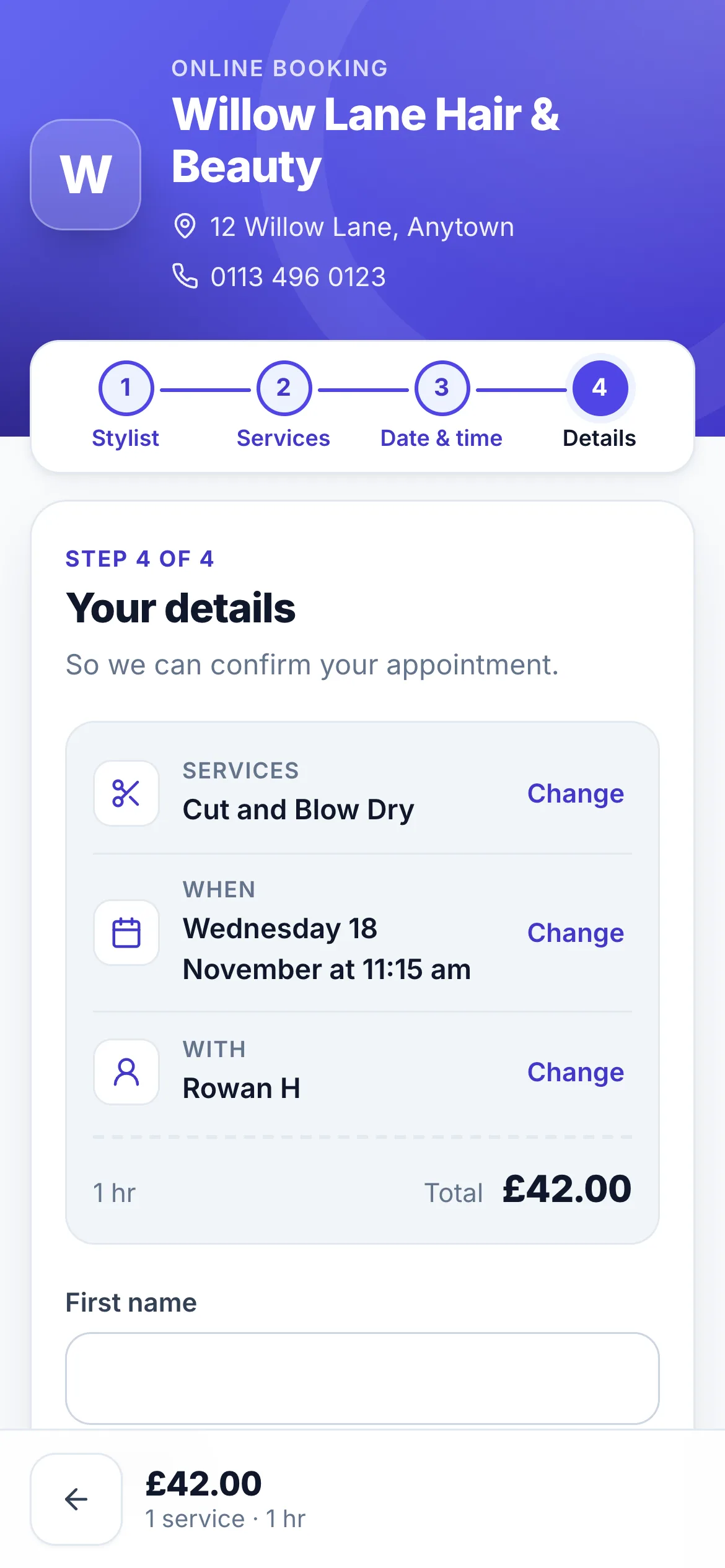
Step 4: check the summary
After they press Send
The client sees Request sent with an Awaiting confirmation badge, a summary of what they asked for, and what happens next. They also get an email with a copy of their request.
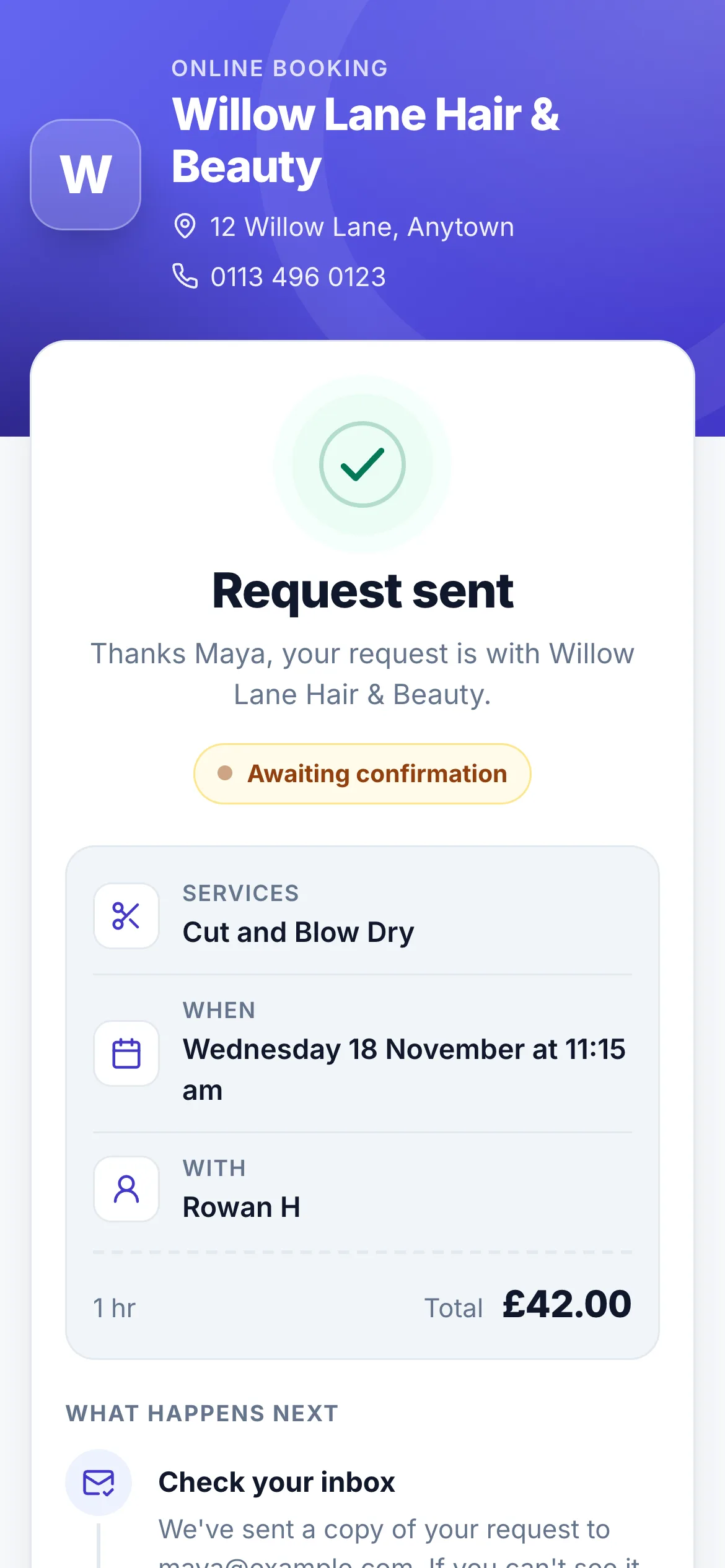
The request isn't a booking yet. It goes to the stylist and the salon's admins to approve. See Managing and approving requests. The client gets another email when it's confirmed, declined, or when you suggest a different time.
What clients can and can't book
- Only real free times. miBooks uses the same working hours, days off, holidays and existing bookings as your diary.
- Not too soon, not too far ahead. Your salon sets the minimum notice (2 hours unless changed) and how many weeks ahead clients can book (8 unless changed).
- Only services the stylist does. If they pick a stylist first, they only see that stylist's services.
- Up to 6 services in one request.