Turning online booking on or off
Admins switch the booking page on or off, copy the link to share, and set the rules for what clients can book.
Switch it on and share your link
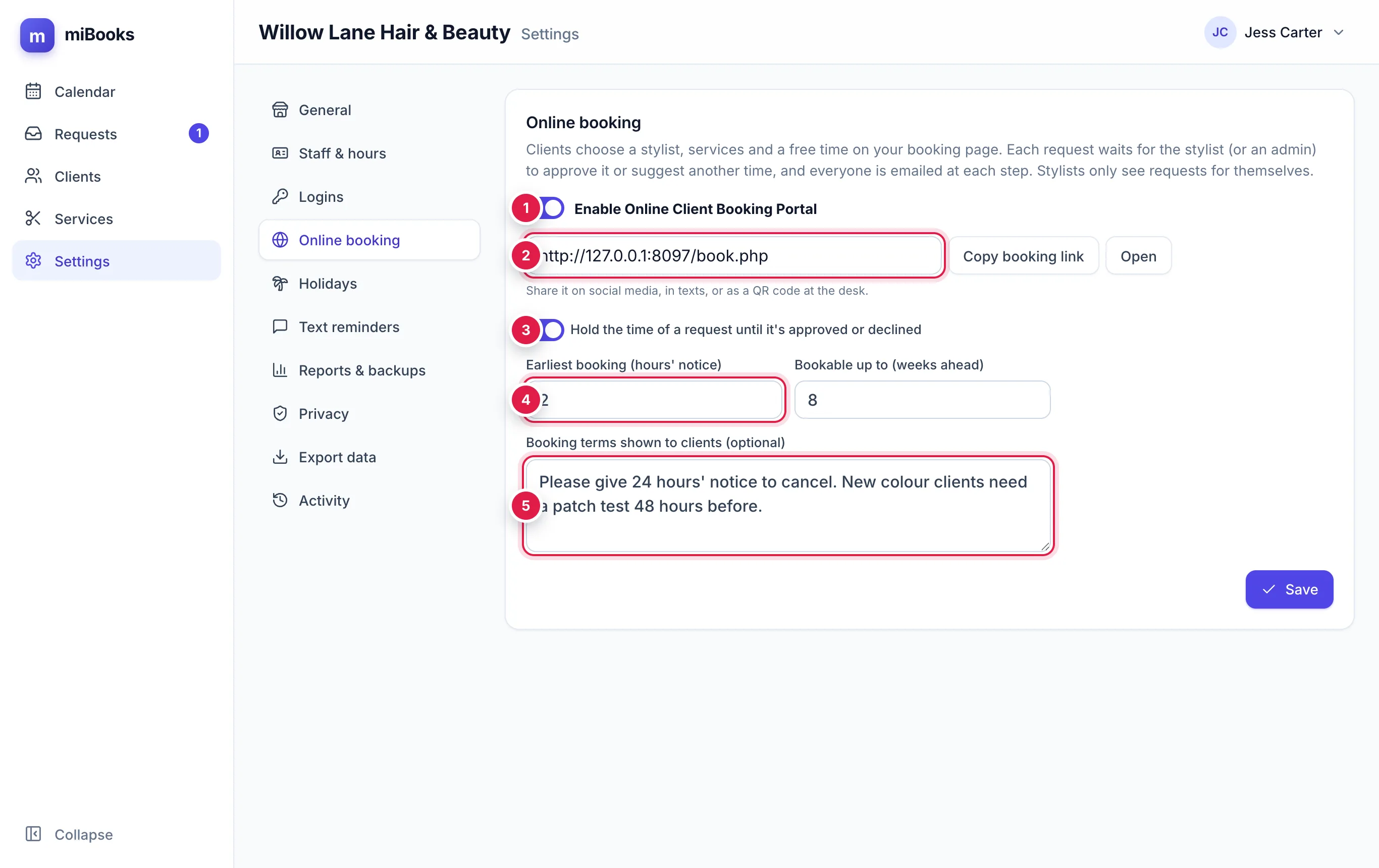
Go to Settings → Online booking.
Tick Enable Online Client Booking Portal 1 and press Save.
Your booking link appears 2. Press Copy booking link, then paste it wherever you want to share it. Press Open to see the page as a client sees it.
The page shows your salon name, address and phone number from Settings → Privacy. Check they're right before you share the link.
The rules
| Setting | What it does |
|---|---|
| Hold the time of a request until it's approved or declined 3 | Hides the requested time from other online clients while you decide. Recommended. |
| Earliest booking (hours' notice) 4 | How soon a client can book. With 2 hours, at 10am the earliest time offered is 12pm. Anything from 0 to 72. |
| Bookable up to (weeks ahead) | How far ahead clients can book: 1 to 26 weeks. |
| Booking terms shown to clients 5 | Optional. Shown on the details step, for example your cancellation policy or patch test rules. Up to 1,000 characters. |
Press Save after any change. It takes effect straight away.
Switch it off
Untick Enable Online Client Booking Portal and press Save.
- Anyone opening your link sees "Online booking is switched off at the moment", with buttons to call or email the salon.
- No new requests can be sent, even from a page that was already open.
- Requests already waiting stay on the Requests page, so you can still approve, suggest or decline them.
Which stylists clients can choose
Clients can choose any active stylist on the diary. Each stylist only offers the services ticked for them in Settings → Staff & hours, at the times in their weekly hours, minus days off and time off.